The SABRENT Dual-Bay USB-C Hard Drive Docking Station & Cloner review is for anyone looking to work with two 2.5-inch or 3.5-inch SATA drives from one dock.
Its combination of simultaneous read/write access, offline cloning, and a USB 3.0 connection makes it useful for backups, drive transfers, and maintenance.
SABRENT Dual-Bay Dock Review Summary
The quick verdict

1,000+ ratings
Read Amazon ReviewsSABRENT Dual-Bay USB-C Docking Station & Cloner
A practical fit for buyers who want to access two SATA drives at once or clone a drive offline without a computer.
- Two bays support simultaneous reading and writing to two drives.
- Offline cloning allows drive-to-drive copying without connecting to a computer; the listed rate is up to 60MBps.
- Compatible with 2.5-inch and 3.5-inch SATA hard drives.
- Supports drives up to 20TB and beyond.

Pros
- Combines a two-drive computer-connected dock with offline cloning.
- Simultaneous read/write access is convenient when moving files between drives.
Consider before buying
- Offline cloning is listed at up to 60MBps, so buyers planning frequent large drive copies should account for the time involved.
- The 5Gbps figure is a maximum USB connection rate, not a guaranteed file-transfer speed.
Read the full review summary
This dock combines two jobs: it can connect two compatible drives to a Windows or Mac computer for access, and it can clone drives offline.
Tool-free installation and hot swapping make changing drives straightforward, while the access LED provides a quick visual cue during use. The design is most compelling when both bays and direct drive-to-drive cloning will see regular use.
For photo editors, it can help with workflows that involve moving files between SATA drives or keeping a second drive copy.
The stated host transfer speed is up to 5Gbps, and offline cloning is listed at up to 60MBps; these are different modes with different figures, so buyers should match expectations to the task.
Check the drive interfaces and capacities you plan to use before choosing it.
The buying factors
SABRENT Dual-Bay Dock Scorecard
Editorial scores reflect listed features and buyer fit; they are not laboratory measurements or customer ratings.
Two-drive access
Supports reading and writing two drives simultaneously, which is useful for direct file work between installed drives.
Offline cloning
Drive-to-drive cloning can run without a computer, with a listed cloning rate of up to 60MBps.
Drive compatibility
Supports 2.5-inch and 3.5-inch SATA HDDs, with support for drives up to 20TB and beyond.
Computer connectivity
USB 3.0 offers transfer speeds of up to 5Gbps; actual results depend on the connected equipment and task.
Ease of use
Tool-free installation, hot swapping, and an access LED simplify basic drive handling.
Operating system fit
The stated compatibility includes both Windows and Mac OS.
Key Features and Specifications of SABRENT Dual-Bay Dock
- Two bays support simultaneous reading and writing to two drives.
- Offline cloning allows drive-to-drive copying without connecting to a computer; the listed rate is up to 60MBps.
- Compatible with 2.5-inch and 3.5-inch SATA hard drives.
- Supports drives up to 20TB and beyond.
- USB 3.0 connection supports data transfer speeds of up to 5Gbps.
- Tool-free installation, hot swapping, and an HDD access LED indicator are included.
- Works with Windows and Mac OS.
Pros and Cons of SABRENT Dual-Bay Dock
Pros
- Combines a two-drive computer-connected dock with offline cloning.
- Simultaneous read/write access is convenient when moving files between drives.
- Supports both common SATA drive sizes, including 3.5-inch desktop drives.
- Tool-free installation and hot swapping make it easier to rotate drives.
- The listed capacity support leaves room for large-capacity drives.
Consider before buying
- Offline cloning is listed at up to 60MBps, so buyers planning frequent large drive copies should account for the time involved.
- The 5Gbps figure is a maximum USB connection rate, not a guaranteed file-transfer speed.
- Compatibility is described for SATA HDDs; confirm that your specific drives use the supported interface before buying.
Who Should Buy SABRENT Dual-Bay Dock?
Good fit
Consider this dock if you regularly connect two 2.5-inch or 3.5-inch SATA drives to a Windows or Mac computer.
Simultaneous access can simplify file transfers and comparisons, and the tool-free setup suits users who swap drives as projects change.
It also fits buyers who want an offline cloning option for occasional drive duplication.
Before copying, confirm which drive is the source and which is the destination, and check that the target drive has enough capacity for the data you intend to copy.
For a photo workflow, the two bays can make a pair of working or archive drives easier to access at one desk.
The connection and cloning figures are maximums, so plan transfers around the actual drives and host computer in your setup.
Who should skip it
Skip this model if your drives are not 2.5-inch or 3.5-inch SATA devices; the described compatibility does not cover other interfaces.
If your main priority is cloning large drives as quickly as possible, compare the stated up-to-60MBps cloning rate with the time your backup routine allows.
How the SABRENT Dual-Bay Dock Fits a Drive Workflow
Two bays for hands-on file work
Accessing two drives at once can reduce the friction of copying or organizing files between them.
This is especially useful when a workflow alternates between source and destination drives, though the dock’s maximum USB rate does not determine the speed of every transfer.
Offline cloning for a direct copy
Offline cloning removes the computer from the cloning step, which can be convenient when preparing a replacement or duplicate drive.
The listed rate of up to 60MBps gives buyers a useful planning reference; larger jobs may take time, and the intended destination should be checked before starting.
Check the drive fit first
The dock is designed for 2.5-inch and 3.5-inch SATA HDDs and supports capacities up to 20TB and beyond.
Confirm the interface and capacity of each drive you want to use, particularly when building a workflow around a less common model.
USB 3.0 and day-to-day setup
USB 3.0 provides a stated transfer ceiling of up to 5Gbps, while tool-free installation and hot swapping help with routine drive changes.
Windows and Mac OS support broadens its potential desktop use, and the access LED offers a simple indicator during operation.
Alternatives to SABRENT Dual-Bay Dock
Hard Drive Docking Stations alternative

17,000+ ratings
Read Amazon ReviewsSABRENT 4-Bay USB 3.0 Docking Station and Cloner (DS-U3B4)
Choose the main dock if two bays cover your routine and USB-C is a priority. Consider the four-bay model if you need to manage more drives at once and can use its USB 3.0 host connection.
- This model provides four bays for 2.5-inch or 3.5-inch SATA HDDs and SSDs, supports USB 3.0 transfers up to 5Gbps, and includes offline cloning with progress indicators.
- The main dock provides two bays for 2.5-inch and 3.5-inch SATA drives, with simultaneous access and offline cloning.
Hard Drive Docking Stations alternative
17,000+ ratings
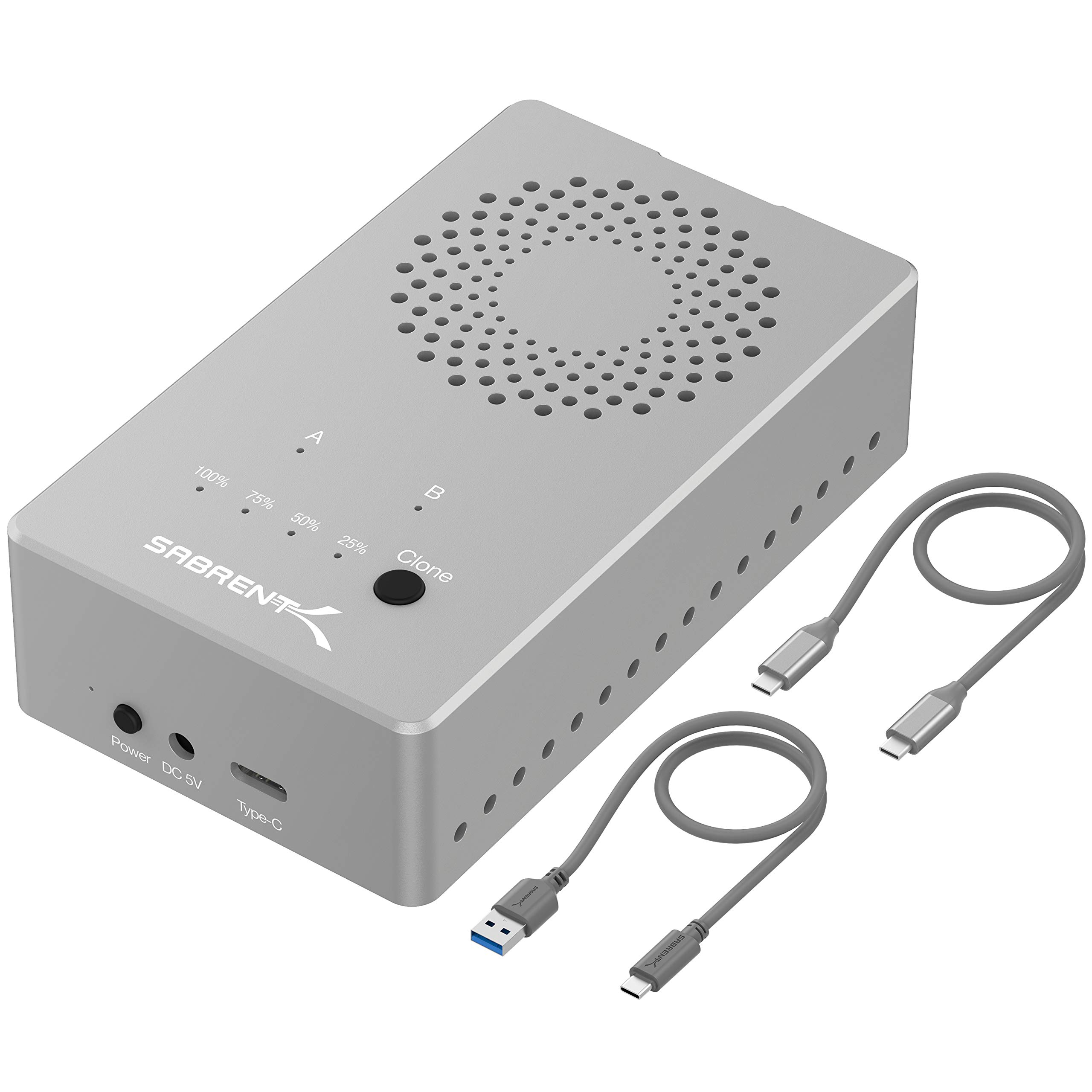
Read Amazon ReviewsSABRENT Dual-Bay USB-C M.2 NVMe SSD Cloner Dock (EC-SSD2)
Choose the main dock for standard 2.5-inch or 3.5-inch SATA drives. Consider the NVMe model if your drives are compatible M.2 NVMe SSDs and you want its higher stated USB connection speed.
- This dual-bay dock is built for M.2 NVMe SSDs in 2230, 2242, 2260, and 2280 sizes, with USB 3.2 speeds up to 10Gbps and offline cloning.
- It is not compatible with M.2 SATA or AHCI SSDs.
- The main dock supports 2.5-inch and 3.5-inch SATA drives and lists USB 3.0 transfers up to 5Gbps.
Is SABRENT Dual-Bay Dock Worth It?
The SABRENT Dual-Bay USB-C Docking Station & Cloner is worth considering if you work with two supported SATA drives and value both computer-connected access and offline cloning.
It brings useful capacity support, tool-free drive changes, and Windows and Mac compatibility into one compact workflow.
The key tradeoff is the cloning rate, listed at up to 60MBps, alongside a USB 3.0 maximum of up to 5Gbps for connected computer use.
Check your drives’ interfaces and plan around those stated limits; if they fit your routine, this dock offers a practical combination of access and copying features.
Your review at a glance
1,000+ ratings
Read Amazon ReviewsSABRENT Dual-Bay USB-C Docking Station & Cloner
A practical fit for buyers who want to access two SATA drives at once or clone a drive offline without a computer.
- Two bays support simultaneous reading and writing to two drives.
- Offline cloning allows drive-to-drive copying without connecting to a computer; the listed rate is up to 60MBps.
- Compatible with 2.5-inch and 3.5-inch SATA hard drives.
- Supports drives up to 20TB and beyond.